
Skip to content
NorthPine: Upper Midwest Broadcasting
Menu
  • REGIONS
    • Iowa
    • Manitoba
    • Michigan’s UP
    • Minnesota
      • Twin Cities
    • Nebraska
    • North Dakota
    • NW Ontario
    • South Dakota
    • Wisconsin
  • FEATURES
    • Ask NorthPine
    • Data
    • FCC Monitor
    • History
    • Newsroom Notes
    • Off Topic
    • Weekly Log
  • TOPICS
    • Affiliation changes
    • DTV subchannels
    • Format changes
    • New stations
    • People
    • Public Media
    • Retransmission Consent
    • Station sales
  • Radio Stations
    • Iowa
    • Manitoba
    • Michigan’s UP
    • Minnesota
    • Nebraska
    • North Dakota
    • NW Ontario
    • South Dakota
    • Wisconsin
  • TV Markets
    • Iowa
    • Michigan’s UP
    • Minnesota
    • Nebraska
    • North Dakota
    • South Dakota
    • Wisconsin
  • See Also
    • Other Media Coverage
    • All-Christmas Stations
    • More Info
    • FCCdata.org
    • Radio-Locator
    • FCC LMS
    • RadioInsight
    • Radio/DX Info from Wis.
    • DX-midAMerica
    • TVNewsCheck
    • Broadcasting & Cable
  • About
  • Tip Jar
Menu

Reminder: Broadcast TV Is Free. Here’s How to Watch

Posted on January 10, 2024 by Jon Ellis

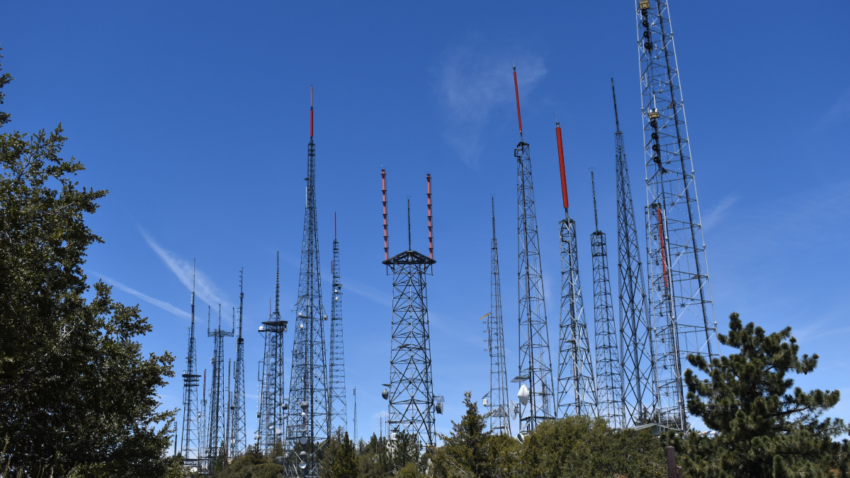
Often lost in the coverage of retransmission consent disputes between broadcasters and pay TV providers is the fact that broadcast TV is still free.

Many articles on the disputes, like this recent article from NextTV, lament the impact on consumers but completely omit the fact that network TV is still broadcast on the free public airwaves.

Since this is a broadcasting website, I presume that most of my readers are aware of the fact that broadcasting still exists. Perhaps I am assuming too much.

It should be no surprise, I suppose, after decades of attention to cable, satellite, and streaming services, that some viewers are seemingly unaware that you can still receive TV for free with an antenna. And yes, it’s fully legal.

Here’s how it works:

  1. Look for the RF input on your TV. This is the round coaxial cable input. Anything sold as a “TV” should have one, but if you can’t find it, you may need to buy an external tuner with an HDMI output.
  2. You need an antenna. An old indoor antenna from the analog TV days will likely still work, at least for some channels. You may need an outdoor antenna in some areas. Check a site like the Signal Search Map at RabbitEars.info to see signal strength in your area.
  3. Use your TV’s menu to scan for channels.
  4. Switch to your antenna input to watch antenna channels.

That’s it. If you already have an antenna and live in a metro area, you can probably get reception pretty easily. You will probably also receive some extra channels that aren’t carried on your pay TV provider.

Disclosure: Jon Ellis is an employee of Gray Media Group. The statements and views expressed in this posting are his own and do not reflect those of Gray Media Group.

Latest Posts

  • Weekly Log: Nexstar/Tegna Combination On Hold
  • FCC Monitor: Several U.P. FM Stations Continue at Reduced Power
  • Local Broadcaster Buys Silent Omaha AM Station
  • Twin Cities PBS Takes Over Operations of Southern Minn. Station
  • Weekly Log: Several New Faces on Twin Cities TV
  • FCC Monitor: Iowa, Michigan, Nebraska Radio Sales Close
  • Weekly Log: WPR News Names New Midday Host
  • Townsquare AM Station in Rochester, Minn., Won’t Return to Air
  • FCC Monitor: Green Bay-Market FM Station at Reduced Power
  • Civic Media Flips Upper Peninsula Station from Talk to Oldies

Search FCC Database


1996-2018 news archive Facebook logo
©2026 NorthPine: Upper Midwest Broadcasting | Design: Newspaperly WordPress Theme